
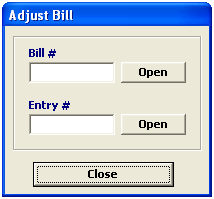
This option allows you to adjust the status of a billing. This feature is used to unlock a bill that has been locked or exported previously.
|
Field/Button |
Status |
Description |
|
Bill # |
Conditional |
Enter the locked/exported bill number that you would like to adjust. This will unlock the bill, allowing you to modify the billing. |
|
Entry # |
Conditional |
Enter the entry number for the bill that you would like to adjust. |
|
Open |
Button |
Click this button to open the entered bill/entry. |
|
Close |
Button |
Click to close this screen and return to the System Administration menu. |
|
Field/Button |
Status |
Description |
|
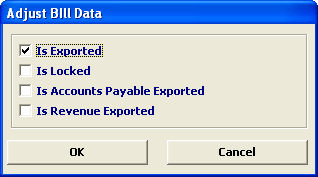
Is Exported |
Checkbox |
Check this box to change the selected bill status to "exported". If this bill has already been exported, you can de-select this box to remove this exported status. |
|
Is Locked |
Checkbox |
Check this box to change the selected bill status to "locked". If this bill has already been locked, you can de-select this box to remove this locked status. |
|
Is Accounts Payable Exported |
Checkbox |
Check this box to change the selected bill status to "accounts payable exported". If this bill has already been locked, you can de-select this box to remove this accounts payable exported status. |
|
Is Revenue Exported |
Checkbox |
Check this box to change the selected bill status to "revenue exported". If this bill has already been locked, you can de-select this box to remove this revenue exported status. |
|
OK/Cancel |
Buttons |
Click OK to save changes and return to the Adjust Bill screen. Click Cancel to cancel and return to the Adjust Bill screen without saving. |